We live our lives surrounded by all kinds of technology from fundamentals such as computers and phones to novelties such as smart watches and AI assistants. Like a cycle, we constantly develop new technology to support our lifestyles and we naturally modify our lifestyles to integrate this technology.
However, although improvements are constantly being made, problems with technology, perhaps at even the most basic levels, never cease to exist. The “paper cuts of today’s technology” as described in our project prompt. Furthermore, especially as we form a routine of using such technology, many of these issues, even the most obvious ones, may go unnoticed and unsolved until someone really sits down to consider them.
The prompt of the current project I am working on is to propose a solution to an unsolved problem in HCI, and this first blog post is to focus on the “first diamond” of the Double Diamond Model, describing the problem we are solving and defining the appropriate user needs.
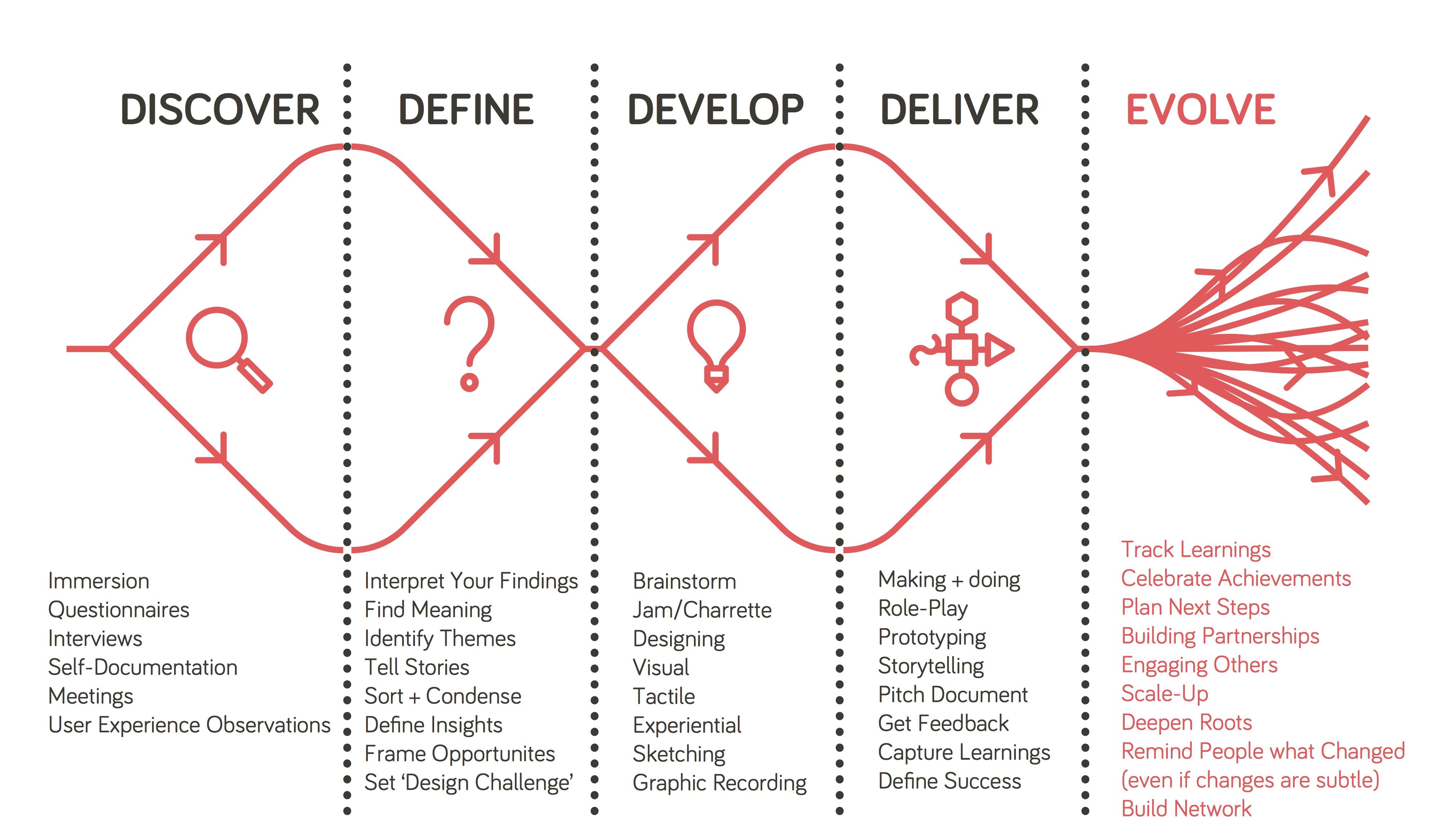
Though we considered other ideas such as cyber security, technology and motivation, and the ideology bubble of social media, my group members, Perrin and Daniel, and I ultimately decided to tackle a problem that has, unexpectedly, recently become incredibly relevant, the problem of online teaching and the digital classroom, focusing on the aspect of class discussions, and what elements of discussions we think would be best to improve.
The Move From Physical to Digital.
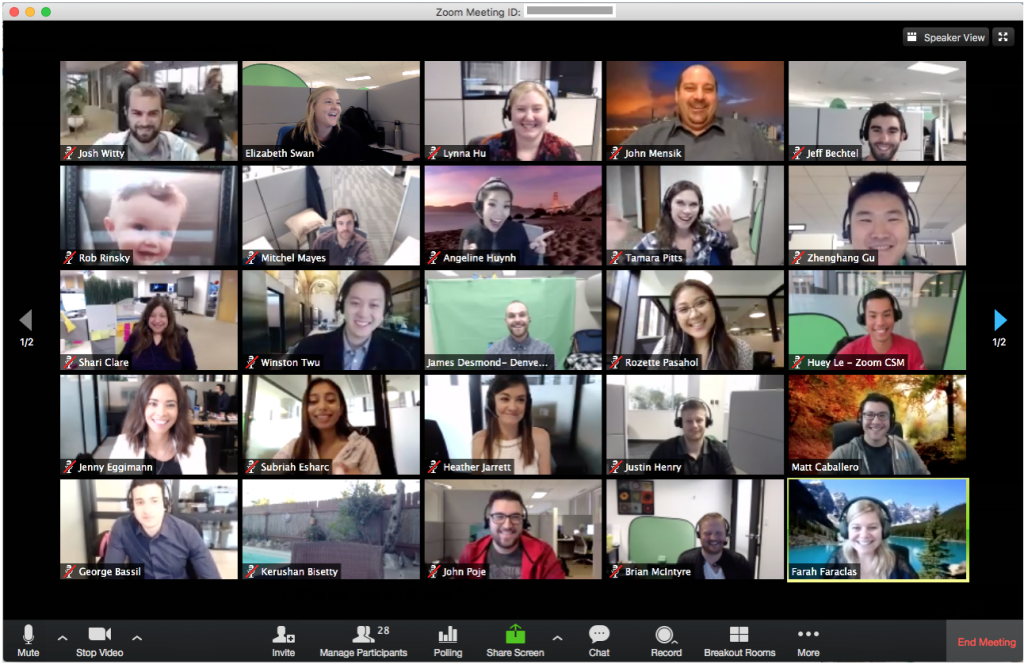
Recently, due to the growing COVID-19 pandemic, classes taught in institutions have been forced to move online. With limited time to prepare, teachers and professors needed to quickly figure out methods of continuing their instruction remotely that would best fit the curriculum of their respective courses and the circumstances of their students.
I have seen a variety of different methods of online teaching being employed since the past few weeks. Some common approaches have been to use resources for group calls such as Zoom or BlueJeans. Others have opted for a more traditional method of uploading lecture videos for students to watch on their own time. Personally, all of my current professors are all using relatively different plans. One of my professors has forgone lectures altogether, uploading weekly handouts and worksheets through the Moodle learning system used by my school with all of the information we would have learned in class.
Presumably, there are several aspects of a course that an instructor must have had to consider in reformatting their classes. Some of these aspects may include:
- Structure of the course
- Is the class lecture-based, discussion-based, or a mix of both?
- Is real-time, synchronous instruction/discussion necessary?
- Nature of assignments
- Can current class assignments easily be completed from a student’s home?
- If not, what changes to the assignment formats need to be made?
- Will more assignments be assigned to make up for participation and class time?
- Are there any group assignments?
- Time zones
- Should real-time instruction occur, how many students can actually join?
- How will student who cannot join be able to access the lecture/discussion at a further time?
- Well-being
- Other than time differences, are students currently in a stable situation to be able to take part in class at the same level as they did before?
I must say that I feel quite fortunate to attend a relatively small institution where professors seem to be making as many considerations as they can regarding the students’ current situations and attitudes toward learning. However, since this is only my opinion, to get some personal experiences and thoughts of other students, we interviewed a couple of undergraduate students both from our school, Occidental College (Oxy), and other institutions.
User Considerations: Online Learning
When it comes to active participation in both online learning and online discussions, it seems to come down to two factors: ability and motivation. One student shared how to ability to participate in a real-time class session at home helped to create the feel of a classroom community.
“I think it’s pretty effective especially compared to classes that are asynchronous because there’s still a way to follow along real time and ask questions the moment you need to. Also it still gives some semblance of classroom community (at least in the classes where people can have their cameras on) even if it’s just a bunch of ppl on mics I guess.” — Junior, Oxy Student
Unfortunately, one’s ability to participate in a real-time class session may be impeded by factors such as time differences, well-being, lack of access to internet, etc. Difficulties in participating due to ability may also impact a student’s motivation to participate.
“I talk much less than I usually do. Cause it’s kinda hard for me to follow along especially cause there’s a lag and I usually have to repeat myself a bunch and then get exiled to the chat and have to type it out. And it’s awkward everyone staring at me blankly.” — Junior, Oxy Student
However, other factors determine a student’s motivation to participate as well. Many students I talked to shared how this move to a digital platform has actually improved their motivation to speak during discussions as they are more comfortable speaking in front of the camera than in a room full of people, and are even given the option to only have their audio on.
“I’m pretty self-conscious either way and would find a way to talk myself out of it. However, I will say b/c I can hide behind just audio in CN [Cognitive Neuroscience], I have talked more in class (like twice lol) than when we were in actual class cause I knew people couldn’t look at me.” — Junior, Oxy Student
Redirecting and Narrowing Our Problem and Our Users.
Prior to deciding on working on online teaching as our problem, one of the issues we had with selecting which route to go was that we were approaching design problems too broadly, without a focus of specific users and user needs. With most of the design problems we had originally discussed, we found it difficult to find one we could dig deep into, especially with a personal connection, and translate these challenges we might find into a problem of interface interaction. During our first group meeting, our professor directed us to a blog post with the suggestion to start by designing for one person, even if that one person is yourself, instead of trying to focus on a big picture. In this particular blog post, the author discusses a project he started to help exactly one user: his dad. He shares that he got this idea from an essay called “Do Things That Don’t Scale” that gives this precise advice of picking a single user to design for.
“Sometimes we advise founders of B2B startups to take over-engagement to an extreme, and to pick a single user and act as if they were consultants building something just for that one user. The initial user serves as the form for your mold; keep tweaking till you fit their needs perfectly, and you’ll usually find you’ve made something other users want too. Even if there aren’t many of them, there are probably adjacent territories that have more. As long as you can find just one user who really needs something and can act on that need, you’ve got a toehold in making something people want, and that’s as much as any startup needs initially.” – Do Things That Don’t Scale
This perspective helped to redirect our thoughts and give us a new perspective on designing. Instead of thinking about a more global design issue, I began thinking about personal design problems that I might have encountered myself. In this process, I had recalled a particular session of our HCI class in which our professor asked us what aspects of the current class structure we either liked or disliked. This sparked the idea of focusing on online teaching and digital classrooms.
Initially, my idea was to focus on the digital classroom in general for all undergraduate students, though I soon realized that even for said students, experiences are not universal. For example, one non-Oxy student had stated that their largest class had around 175 students actively joining real-time lectures while my largest classes, even in a physical classroom, would have at most around 30-40 students. The next level of narrowing was to focus on the classroom for specifically Oxy students. However, even then the expectations of each class seem to too widely vary. So, ultimately, per Daniel’s idea, we decided to more closely follow the idea of designing for one person, or in this case, for one class and focus on dissecting the needs and issues of our online HCI classes specifically.
Structure of HCI Class and Thoughts of Students as Users.
For a typical online class session, my HCI professor pairs YouTube as a platform for live-streaming and Slack as a workspace to hold discussions. At the beginning of class, he will break up the students into groups of about 4-5 and have them create separate group threads in the designated class Slack channel. Following the presentation slides he prepares, we will switch back and forth between YouTube and Slack based on the appropriate group discussions periods, and after each group discussion, a representative of the group will summarize the group’s points in the YouTube chat.
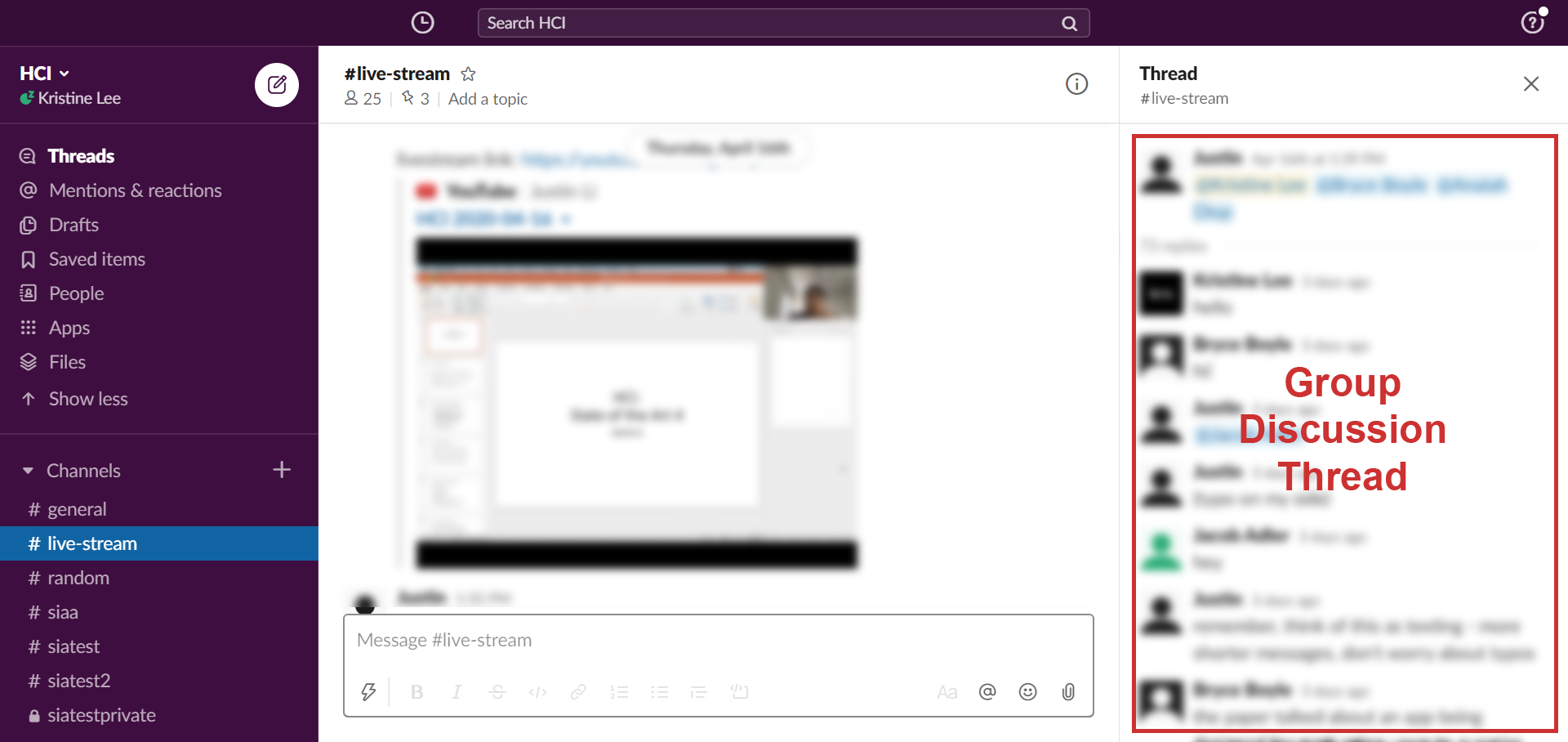
I want to say that this method has actually been one of the better ways of holding class, both from my experience and hearing the experiences of other students. The class flow is relatively organized, and no one seems to have an issue actually accessing these two platforms as needed. However, that does not mean that this structure does not come with its own issues.
The Back-and-Forth Between YouTube and Slack.
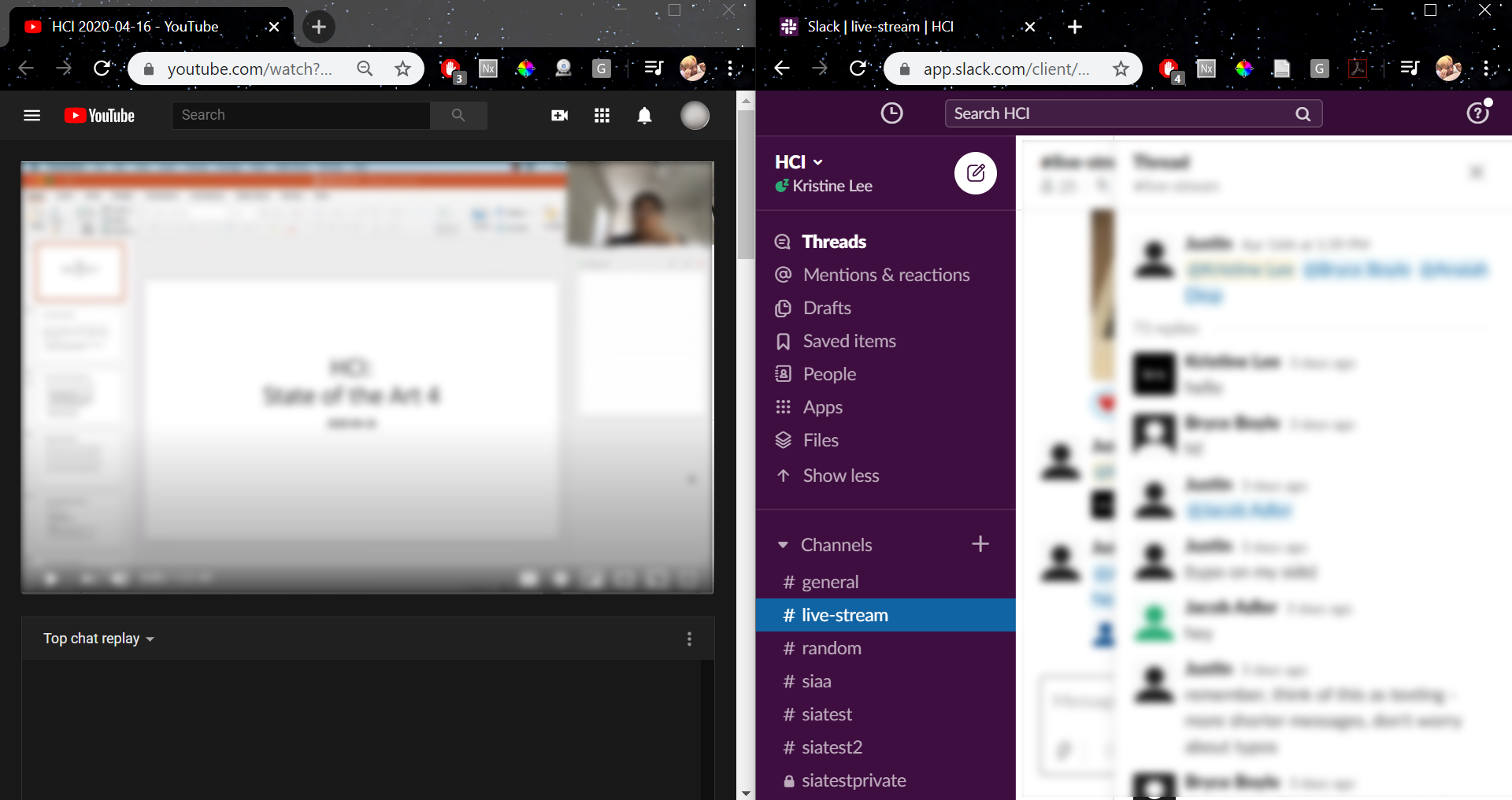
One of the biggest issues reported by students was the act of having to go back and forth between YouTube and Slack. While there are several ways to have both pages open at the same time (including using to devices), it seemed that many were looking for a way to integrate the two in a way that would only require one page to be open.
Some other related considerations include students taking notes on their laptop as well as having articles or papers open to reference, both one additional thing to have to navigate between.
Of course, given the limitations of the dimensions of a laptop screen, there are only so many things we could do to minimize the amount of navigation that a student must do. However, even just decreasing the navigation by one page might help students more efficiently organize their workspace.
Having Typed Discussions.
One such debate that came up was preference of having discussions through audio/video calls vs. having typed discussions as we currently do. When asked how students thought of the current discussion system, there were some mixed reactions, and someone who actually quite enjoys this format, there were quite a few issues people had with this system including:
- Typing is tiring
- Typing feels less personal than video calls
- Typing allows less social and timing cues
- The method of summarizing the groups’ points and sending them in the YouTube chat does not feel very efficient
I will mention here that in our most recent class with only about 10 students present, our professor had taken a slightly different approach to group discussions. Before class, he prefaced that we should treat these discussions more as texting rather than replying to posts on a forum and he put us into smaller groups of 3. Instead of asking for a representative from each group to report back, he would hope around each groups’ discussion and later summarize the points himself. However, I would wonder how this would play out in a setting with the regular class size.
Given these points, one might wonder, then, would it be better to find a way to have audio/video discussions instead?
If only the answer were that easy. After both taking a look at past class discussions and asking for more concrete answers through the student interviews mentioned previously, I can firmly conclude that there are definitely fans of both sides of this debate. Several students reported that although, admittedly, video calls feel more personal and may even hold students more accountable to participate, they feel uncomfortable with the idea of being in front a camera and speaking. We may also have to consider the issues ones might have with their Wi-Fi as discussed in a previous section.
While the goal of my group would ideally to be able to reach some sort of balance, this is one example of an issue whose solution clearly cannot and will not please everyone, at least at the same level.
Conclusions.
Given the sudden and harsh shift in practically every aspect of living, it is no surprise that something like the shift from teaching and learning in person to online teaching is currently not perfect. No one could have expected that we would have to make drastic transitions in such a short amount of time.
After some discussion, my group decided to focus specifically on this issue of improving the format of group discussions. In these upcoming days, my group will set on to find a solution to this issue, or at least an improvement to the current system. Perhaps given the circumstances, both the unforeseeable future as well as the gradual adaption to this digital platform, this problem of online teaching may remain relevant for longer than one would have once expected.
 Kristine's HCI Blog
One thought on “Unsolved HCI: Online Teaching”