In my post “Unsolved HCI: Online Teaching“, I discussed the issue of online learning and digital classrooms and how the ongoing COVID-19 pandemic has raised the demand of efficient virtual learning environments. For this present project, I continued to work with Perrin and Daniel in designing an online learning platform aimed at increasing engagement as well as facilitating discussions.
Reorganizing and Redefining Our Problem.
In an intermediate meeting, we used the time to refocus our ideas and begin formulating in our heads what kinds of aspects we wanted our design to have and, overall, what kind of system we wanted our design to be. We had established previously that our main concerns included a students’ ability and motivation to participate in synchronous lectures/discussions. A specific issue brought up by our HCI professor was the lack immediate sharing of information, or lack of information sharing at all. In our current YouTube/Slack setup, it was difficult to not only appoint a representative for our smaller groups, but also just difficult in general to get people to say anything in the YouTube chat. So, we needed to consider how we might incentivize students to participate and how we might remove any barriers that are keeping students from participating further.
One reason for this decrease in participation, particularly apparent in a smaller class like our HCI class, may have been the lack of a sense of community and communication. Because such rapid progression of the pandemic, teachers and professors were subject to pressure to quickly develop an online learning system that would work for their class. Given the sudden disruption in our normal classroom environment, it seems likely that many would have, even unbeknownst to themselves, been impacted by the loss of such connections and shifts in the social dynamics built throughout the first half of the semester, thus losing motivation to interact.
In their paper “Classroom Community and Student Engagement in Online Courses”, Young and Bruce suggest that a stronger sense of community and engagement can be built through increased social interactions and collaborative learning. Yet, behind a computer where the only means of communication is through typed messages, the social aspect lacks comparatively to a physical classroom setting. Even with audio/video calls, where one is able to see and hear all of their peers, those whose resources do not allow for effective calls, such as not having a large enough bandwidth, may end up feeling a sense of isolation and detachment as their learning experience falls behind those of other students. As such, our basic motivations behind this project were to try and find a balance between human interaction and technological limitations.
Solution: Video Games…?
While many have been struggling to find their place in this pandemic, one particular item, a video game, seemed to find its glory in this pandemic – Animal Crossing: New Horizons. An endearing life simulation video game, Animal Crossing allows players to dwell in a fictional world surrounded by animals allowing one to escape the real world while still maintaining social interactions with other players. I remember one of my friends mentioning that people were lovingly deeming this new wave the “at-home version of Pokémon Go summer”.
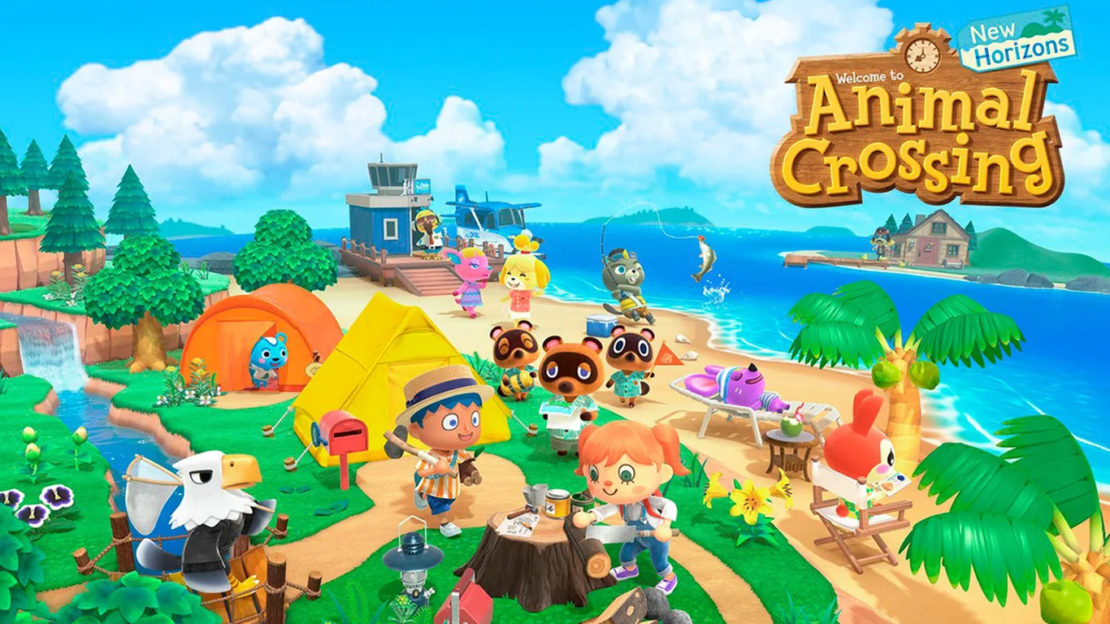
Seeing the success of such a platform, one idea brought up was to consider using video games, and particularly such life simulation games as well as RPGs, as references and looking into how such games are able to build an online community, both directly and indirectly.
The Design Plan.
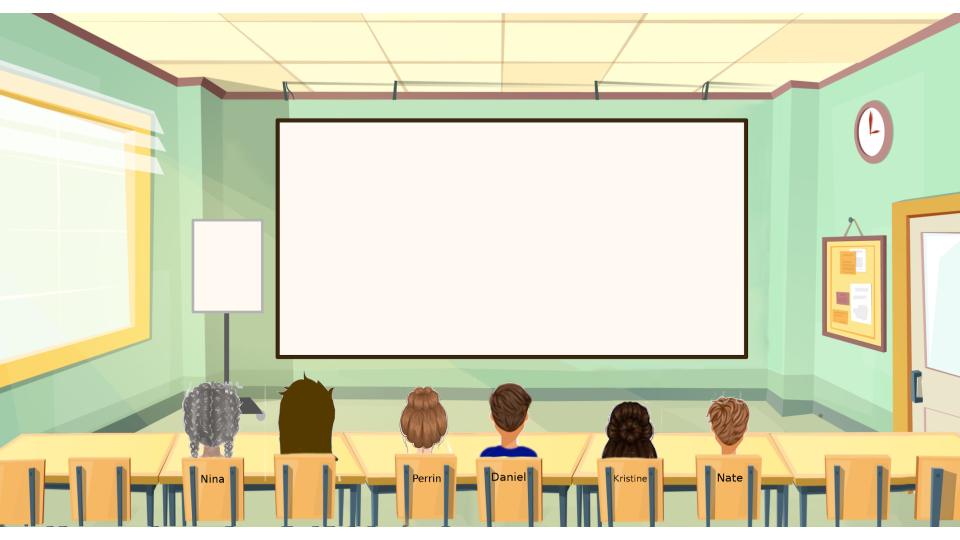
Starting with what initially started as a casual suggestion, eventually, we landed on the idea of creating a 3D virtual classroom environment where each student would have their own avatar representing themselves. When this idea was first brought up, I was a bit skeptical. My initial reaction was that such an interface could potentially be more distracting than engaging, especially since my mindset was so focused on the idea that this interface would be inspired by video games and, consequently, turn out like one and/or be treated like one. However, after considering our user needs, I became content with the idea that with the right implementation, such an interface might actually be useful.
In an article by Gratch, et al., they compare the interactions between virtual characters to the interactions of people from face-to-face communication and found that virtual humans can be just as, if not more, engaging as real ones through the use of listening feedback and perceivable reactions. This was one thing we had noticed was missing in many learning systems that forewent the use of video and audio. Thus, the hope would be that by introducing avatars and allowing the avatars some more social features, the sense of interaction and collaboration would increase without the need for video and audio.
We had to recognize several factors and potential constraints that would influence our design. For example, lectures with 20-30 participants will obviously have different needs from lectures with 100+ participants. Furthermore, even one class might utilize different lecture structures on different days. Some days might be more lecture heavy and other more discussion heavy. To acknowledge these discrepancies, for our user group, we decided to follow our idea presented in my previous blog post on focusing on smaller class sizes. As for class structure, we hoped to create a design that would be cater toward both lectures and discussions.
Basic Sketches.
We started with some sketches that would guide both the flow of our design as well as perhaps help us narrow down what part of this design plan that we wanted to focus on. One initial page was a page in which students would be able to customize their avatar and another page was the actual 3D classroom itself. In the sketch of the classroom, the white blank space represented the slides, the dark shapes the avatars, and the blue box a potential bar with reactions, settings, and other features.
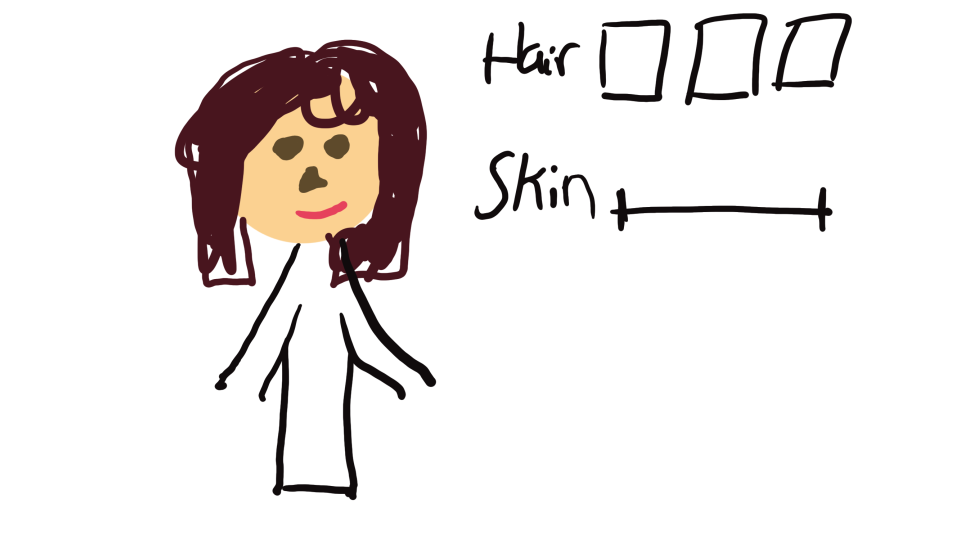
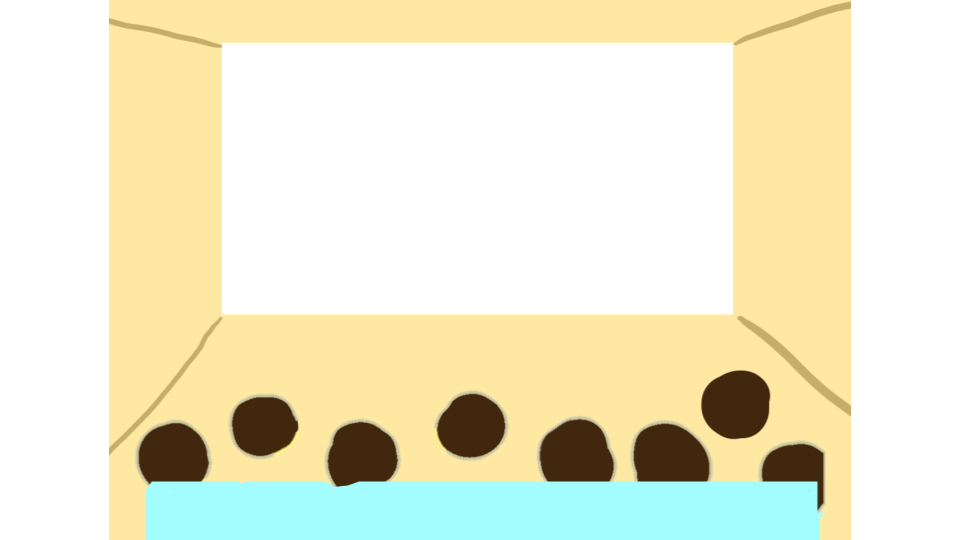
We also created wireframes of pages that represented the navigation between pages that would eventually get the student to their desired classroom.
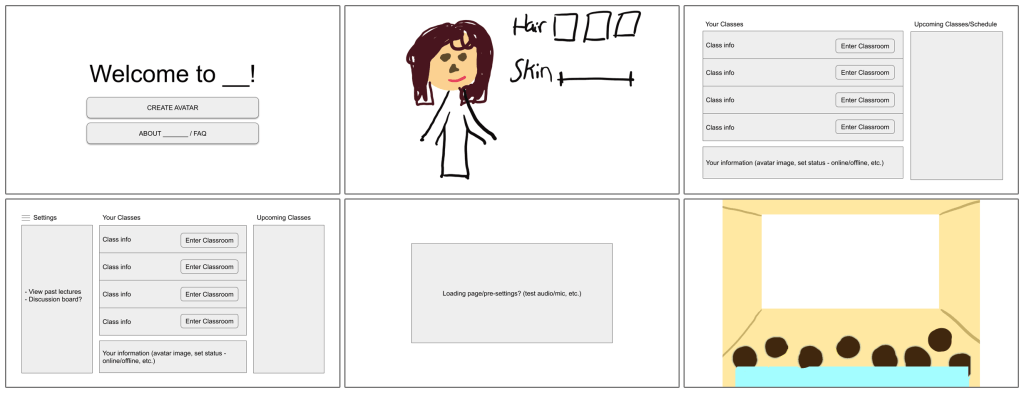
However, as we started to develop the design and consider what features we should include to the classroom, we soon realized that just the virtual classroom itself would already be a lot to work on. So, we shifted our focus to just the classroom with the underlying assumption that a student would have already created their avatars.
Here is the next, more detailed iteration of the previous classroom design that Perrin created:
Adding Features and User Testing.
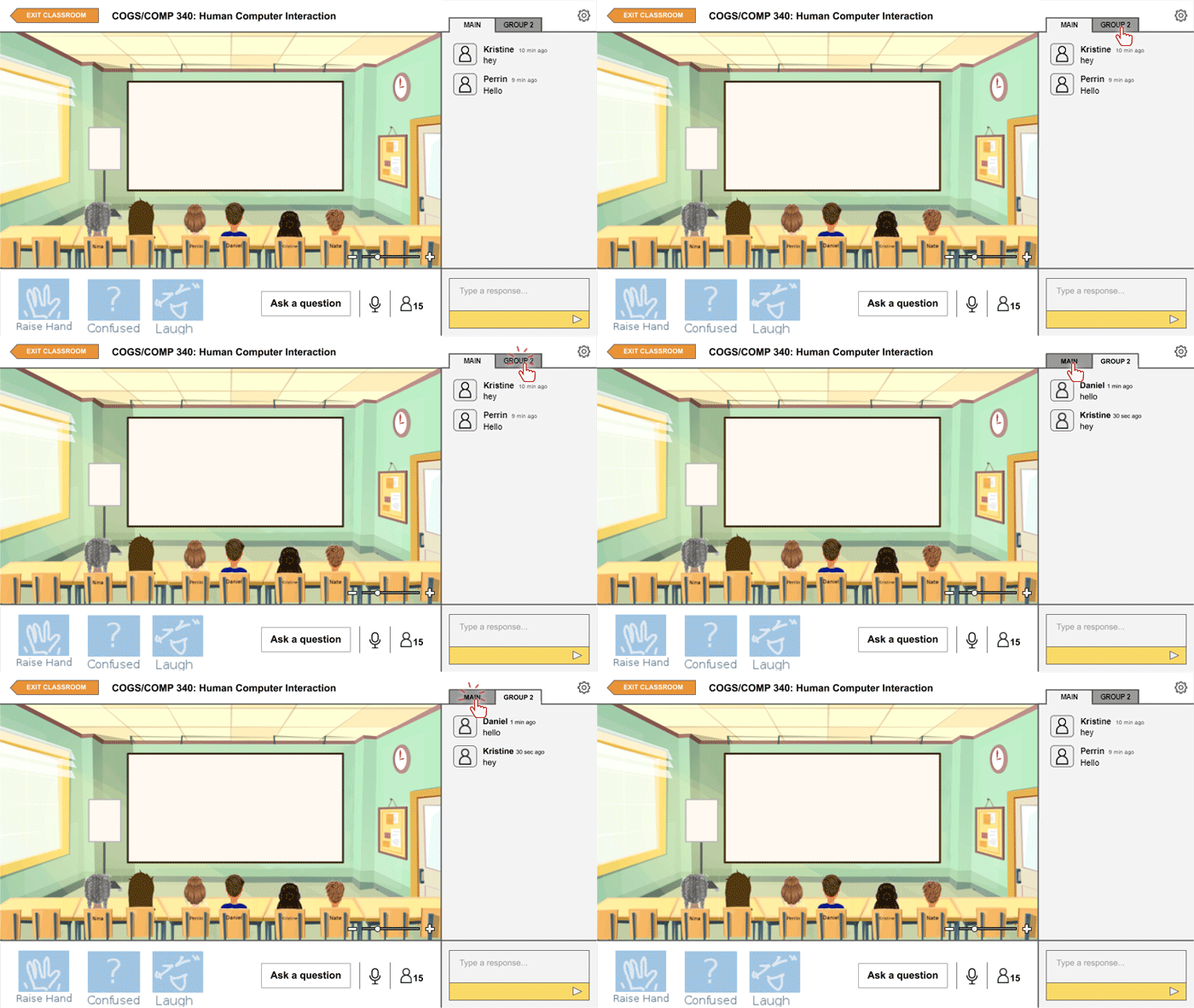
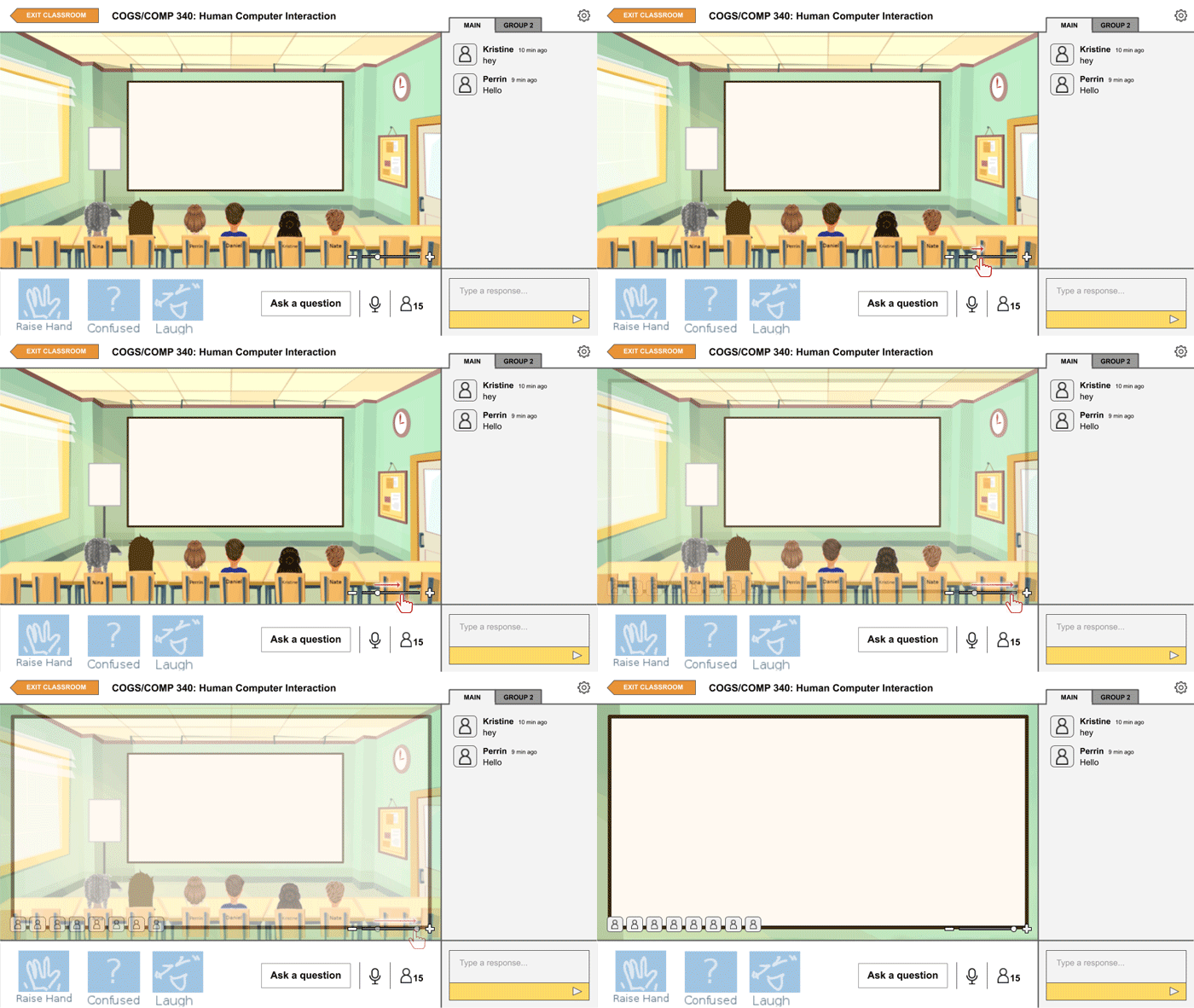
After setting up the main 3D classroom design, we began to add features to the design that we believed would enhance the experience of the user. In prior discussions and interviews, several students had expressed their desire of having the option to use audio. However, others recognized that sometimes quick comments, especially during a lecture, might be better made through a typed chat instead. So, we decided to include both the option of audio and a chat on the side to accommodate for different potential situations. There is also a group tab for the chat in the case that smaller discussion groups are made.
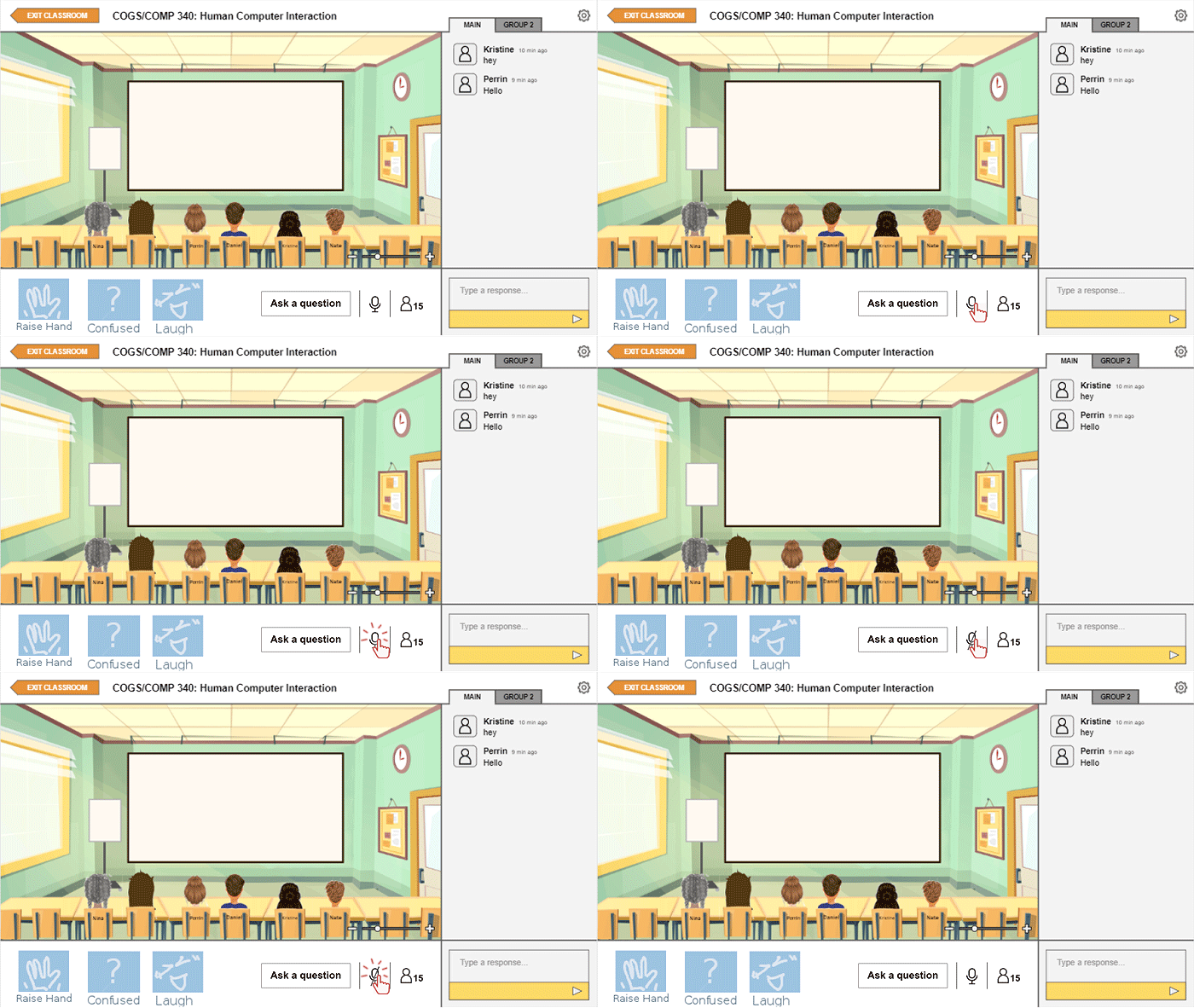
Another feature that we hoped would push forward our goal of increasing social cues was adding reactions that an avatar could express. These reactions, though quick, would ideally simulate the human interaction of responding and giving feedback to certain comments through non-verbal means. Next to these reactions is a button that allows students to ask questions separate from the messages in the chat. This was added with the idea that perhaps some questions would call for an immediate answer from the professor that might be missed in the chat.
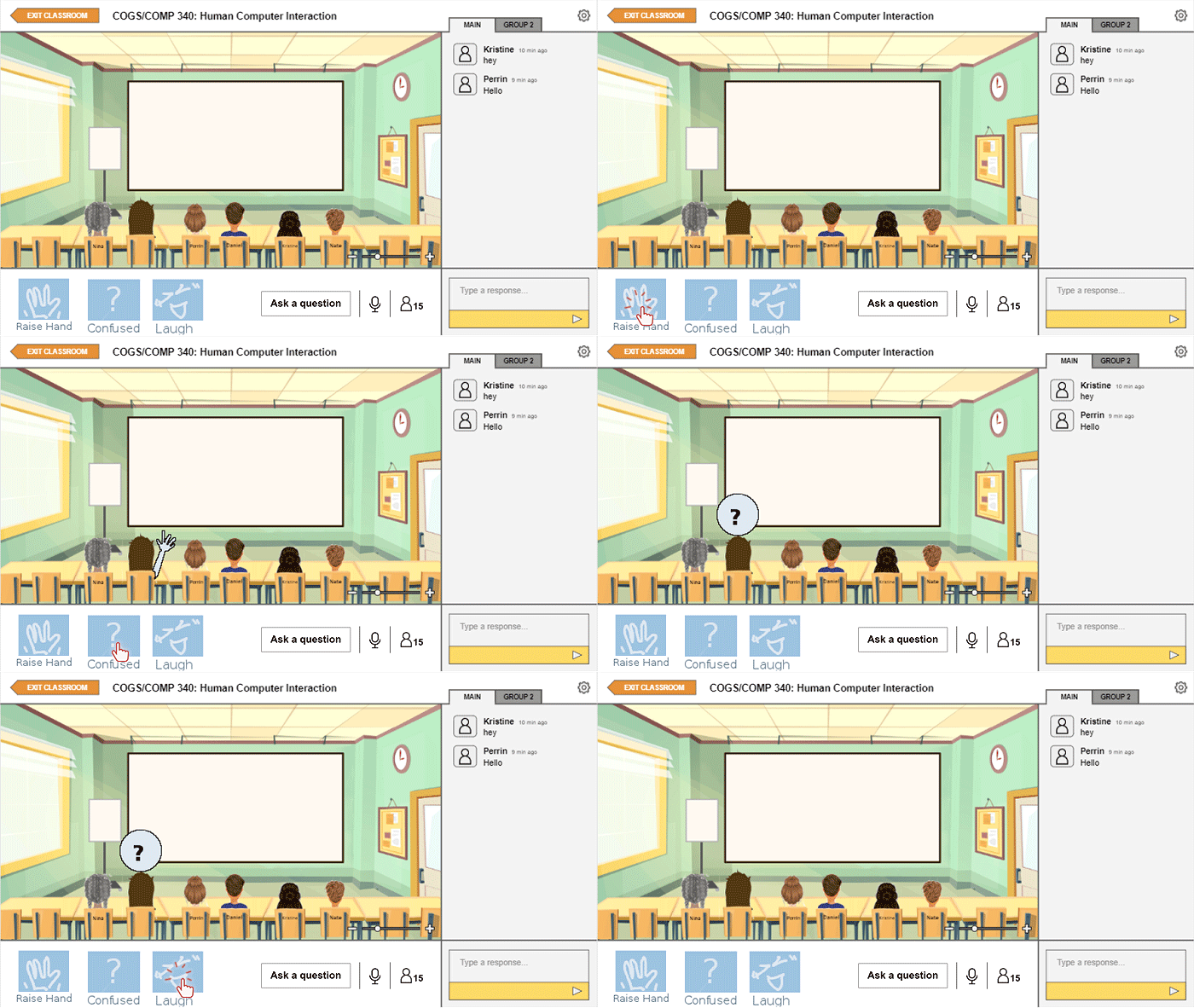
At this point, we decided it would be good to conduct user testing with the iteration we had now to see what aspects might need to be modified. With user testing, we realized a couple of things. First, we recognized that we would not be able to test how our design would impact online learning in the long-run due to time. Additionally, since we would not actually be simulating a class session, we would not be able to test whether this design would be effective with multiple students participating at once. Thus, our goal with user testing turned into observing how an individual would engage and interact with the interface and later interviewing users on their thoughts on this kind of system of online learning.
There were some mixed feelings about the system. Overall, users did not seem to have much of a problem navigating the design and one instructor who tested the design even commented that he thought the platform would be easier for students who are tech impaired to use. However, some of our users did raise concern over some of the aspects of the system.
The same instructor worried that even with more apparent visual cues of reactions and questions, he would sometimes miss them since he writes out his lectures as he goes. So, he suggested that such a feature might even be coupled with audio feedback. Though we could not show visually show this in our final design, we did agree that this point could be beneficial so long as the audio feedback is not distracting as well.
Another concern was from a student who wondered whether the space for the slides themselves would be too small and said that they would prefer to see the slides full screen. It is with this feedback that we decided to add in the feature to zoom in and out the view of the classroom, also present in the images above, so that one could work with their preference. In the zoomed in version, avatars would instead show up on the bottom as icons.
Conclusions.
Unfortunately, we were unable to get a working prototype, or even something close to one, and admittedly our design is far from being perfect. When I shared this idea with a friend, she stated that we would have to be “very, very careful and intentional in setting up the aesthetic of the program” to prevent students from treating this system lightly and casually. Even now, I recognize that without proper long-term user testing, it is difficult to know whether our design would really be effective or not, both on an individual level and a class level.
However, I would still say that through this project we were definitely able to understand better what students miss and desire from the classroom experience, and perhaps this knowledge will help us improve our experiences of online learning in the future should it be necessary.
 Kristine's HCI Blog